PuppyPi: Building an Embodied AI Avatar
April 1, 2026
How I got a $300 quadruped robot on my network and wired it into my local LLM stack — Day 1 of building a fully embodied AI avatar.
I've been running Milo — my personal AI assistant — on OpenClaw for about two months. He manages my calendar, reads email, writes code, controls my Tesla, and has opinions. What he doesn't have is a body.
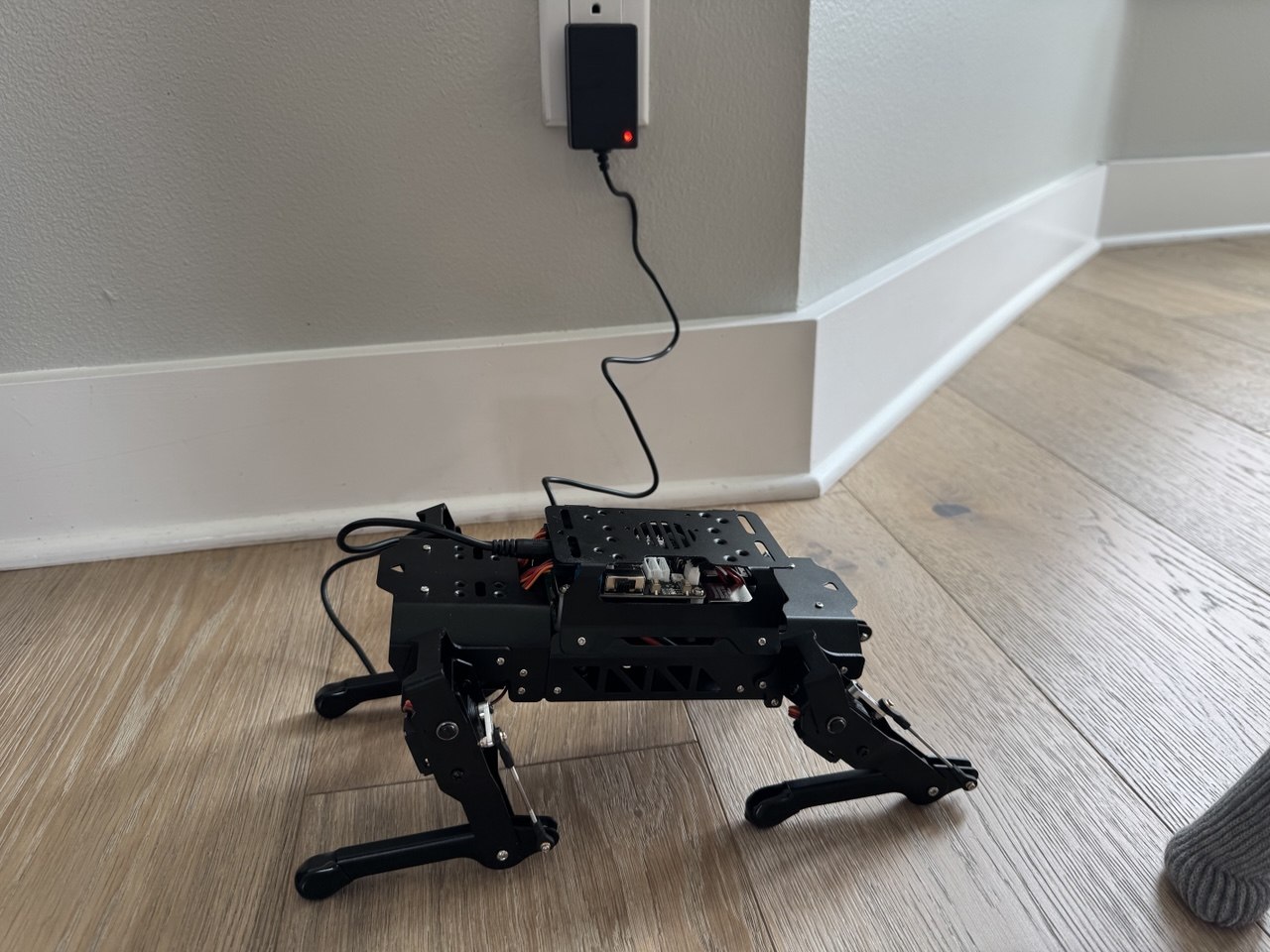
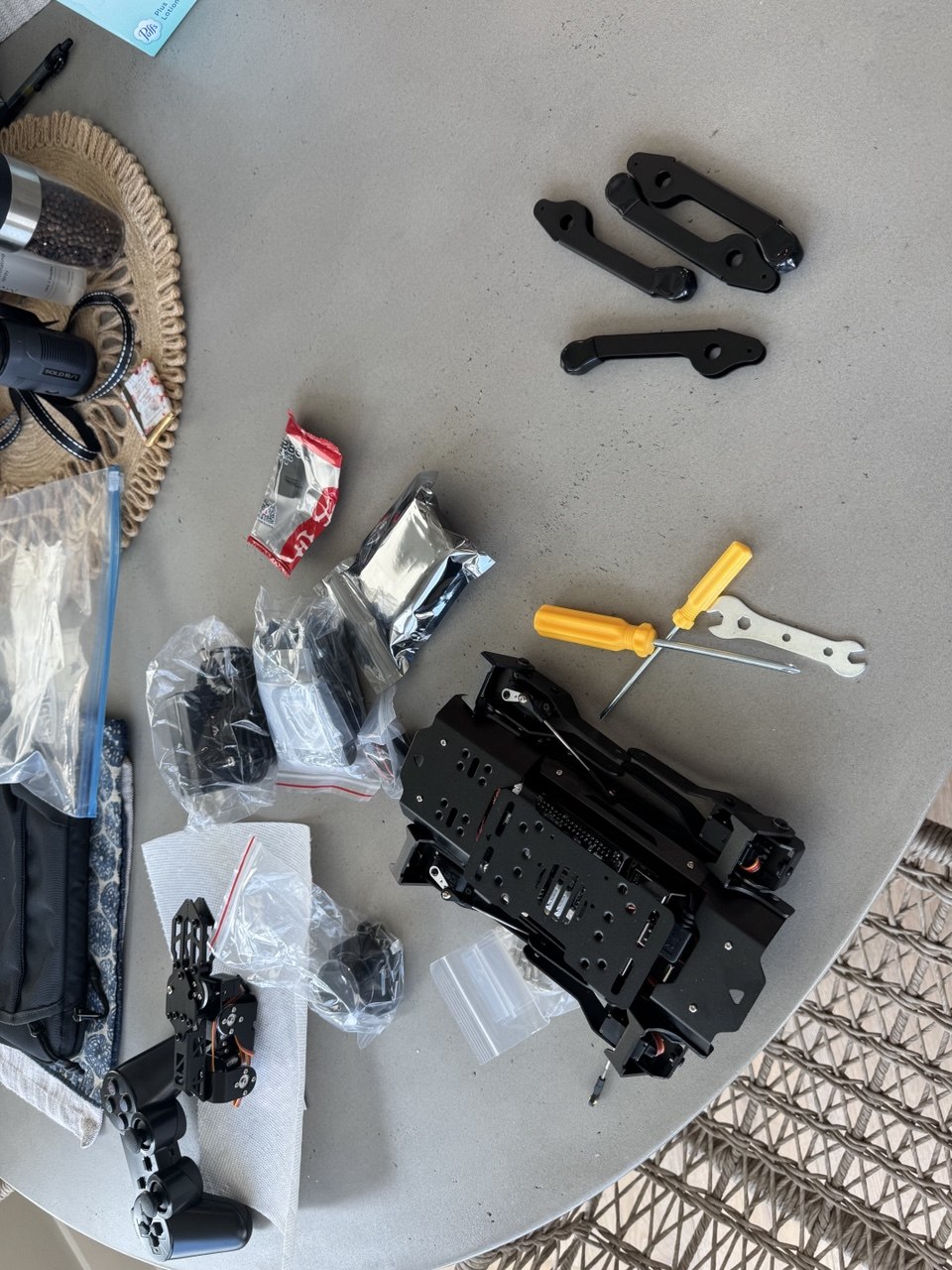
That changes today. This is the story of Day 1 with PuppyPi: getting a quadruped robot on my network, SSHing in, wiring it into the existing AI stack, and planning out what it becomes next. It's a build log, not a finished product — but the architecture is solid and the first real pieces are in place.
Why a Robot Body?
The question I keep coming back to is: what does it mean for an AI to be somewhere? Milo currently lives in a chat window and a voice app. He can tell you the weather outside but he can't look out the window. He knows I went to the gym but he wasn't there. There's a gap between knowing things and experiencing them.
A physical robot doesn't fully close that gap. But it starts to. When Milo can turn toward me when I walk into a room, track my face while I talk, move closer when I call his name — something changes. The interaction feels different. More present. Less like a chatbot, more like something alive.
The PuppyPi Pro Ultimate Kit is not the final form factor. It's a $300 test harness for proving out the full embodied AI loop: perceive → think → act — and eventually, speak. Every architectural decision I'm making today is designed to transfer cleanly to better hardware later — a custom build, whatever comes next. The PuppyPi is the cheapest thing that walks.
Day 1: Getting It Online
The PuppyPi runs ROS2 on a Raspberry Pi 4 inside the chassis. Out of the box it connects in AP mode — it creates its own WiFi network (SSID starting with "HW"). The official workflow is to connect your phone to that hotspot and use the Hiwonder app to control it.
That's fine for demos. I need it on my LAN.
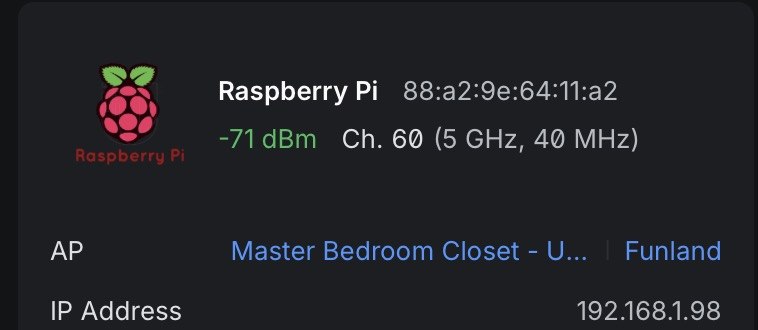
88:a2:9e:64:11:a2 joined Funland at 192.168.1.98. That IP didn't stay long.Connecting via the phone app, I found the terminal and ran:
sudo nmcli dev wifi connect "Funland" password "..."
Thirty seconds later, the PuppyPi dropped its own hotspot and joined the network at 192.168.1.98. I immediately reassigned it a static IP (192.168.1.41) to keep it in the server range with the rest of the hardware:
sudo nmcli connection modify Funland \
  ipv4.addresses 192.168.1.41/24 \
  ipv4.gateway 192.168.1.1 \
  ipv4.dns "8.8.8.8 1.1.1.1" \
  ipv4.method manual && \
sudo nmcli connection up Funland
SSH key installed, added to my SSH config as puppypi. Now Milo (the Mac Studio) can reach it directly. The robot is on the network.
The Stack It's Joining
The PuppyPi doesn't arrive in a vacuum. It's joining an existing AI infrastructure that I've spent two months building:
192.168.1.10
OpenClaw Gateway] --> B[DGX Spark 1
192.168.1.11
Parakeet STT + vLLM] A --> C[DGX Spark 2
192.168.1.12
Qwen3-TTS + Nemotron] A --> D[PuppyPi
192.168.1.41
Edge Node] E[iPhone
MiloBridge App] --> A F[Even Realities G2
Smart Glasses BLE] --> E style D fill:#2d4a22,stroke:#4CAF50 style A fill:#1a237e,stroke:#3f51b5 style B fill:#1b2a1b,stroke:#388e3c style C fill:#1b2a1b,stroke:#388e3c
On this stack right now:
- Mac Studio M3 Ultra (512GB RAM) — runs OpenClaw, orchestrates everything, handles vision inference on the M3 Ultra GPU
- DGX Spark 1 (192.168.1.11) — Parakeet STT at port 8765, vLLM serving Qwen3-235B (~15 tok/s)
- DGX Spark 2 (192.168.1.12) — Nemotron 120B at ~20 tok/s, Qwen3-TTS
- MiloBridge (iOS app) — tap-to-talk on iPhone → Parakeet STT → OpenClaw → ElevenLabs TTS → Even Realities G2 smart glasses HUD. Shipped this same day.
The PuppyPi is the newest node. It gets the same treatment as everything else: thin edge, smart brain.
The Architecture: Thin Edge, Smart Brain
The single most important architectural decision: the Raspberry Pi does nothing intelligent.
This is tempting to violate. The RPi 4 can technically run small quantized models. You could put a 1B parameter model on it and have some local intelligence. Don't. Here's why:
- The models small enough to run on an RPi aren't good enough to be useful for the tasks I care about
- I already have two DGX Sparks with $0 marginal inference cost sitting 10 milliseconds away on the LAN
- Putting intelligence on the RPi creates a split brain — some decisions happen locally, some remotely, and they diverge
- When I upgrade the robot body, I want the brain to transfer unchanged. The edge node is disposable. The brain is the investment.
So the RPi is a sensor/actuator node. Its job:
- Stream mic audio up to Mac Studio
- Play TTS audio from the speakers
- Stream camera frames up
- Execute motor commands from the brain
- Publish sensor data (ultrasonic, touch, lidar)
- Drive the dot matrix display and LEDs
Everything else — STT, LLM inference, TTS, vision inference, decision making — runs on the Mac Studio and Sparks. The PuppyPi is a very sophisticated peripheral.
Connection Protocol: WebSocket Over LAN
I considered a full ROS2 bridge (rosbridge_server) to connect the RPi to the Mac Studio. It would work but it's overkill and fragile. ROS2 DDS discovery is flaky across different machines, and I'd be adding a dependency for the sake of purity.
Instead: a Python asyncio WebSocket server on the RPi (port 9090), and OpenClaw connects as the client. JSON for control messages, binary frames for audio and video. This is the same pattern as MiloBridge — the iPhone doesn't use ROS2 either. It just streams audio and receives responses.
The channels over the WebSocket:
audio_up— raw PCM from the mic (16kHz mono Int16, same format Parakeet expects)audio_down— TTS WAV from Qwen3-TTS → speakersvideo— MJPEG frames from the camera (640×480 @ 5-10 FPS)cmd— JSON motor commands from the agent looptelemetry— JSON sensor readingsexpression— dot matrix display state
Voice Pipeline: Reusing What We Already Built
The PuppyPi Pro ships with a WonderEcho Pro voice module — proprietary hardware with its own mic, speaker, and closed firmware designed for canned voice commands. It's fine for "walk forward" and "turn left." It's completely wrong for conversational AI.
I'm bypassing it entirely and routing audio through the same pipeline that runs MiloBridge:
(Spark 1:8765) participant L as OpenClaw LLM
(Sonnet / Qwen3-235B) participant T as Qwen3-TTS
(Spark 2:8765) participant S as RPi Speaker R->>W: PCM audio stream W->>M: Binary frame M->>P: POST /transcribe P->>M: {"text": "..."} M->>L: Chat completion L->>M: Response text M->>T: POST /tts T->>M: WAV audio M->>W: audio_down binary W->>S: Play audio
This is the same architecture as MiloBridge — the RPi mic/speaker replaces the iPhone mic/speaker. Parakeet STT is already running on Spark 1 at port 8765, tested today with the glasses app. The WebSocket bridge to wire it into the PuppyPi is Phase 1 — not built yet, but the pieces exist. The PuppyPi doesn't have to wait for infrastructure to be invented; it just has to be connected.
One important operational note: the robot stops walking when listening. Quadruped servos are loud. Not "ambient noise" loud — "STT failure" loud. When the PuppyPi is moving, audio capture is off. When it's stationary, it listens. This is actually natural — animals go still when they're paying attention.
Motion: The LLM as Agent, ROS2 as Executor
The LLM does not send raw servo commands. That's like having a CEO operate a lathe. Instead, motion primitives are exposed as ROS2 action servers on the RPi — and those action servers are registered as OpenClaw tools.
The tool menu looks like this:
walk_forward(speed: float, duration: float)
walk_backward(speed: float, duration: float)
turn_left(angle: float)
turn_right(angle: float)
sit()
stand()
wave()
nod()
look_at(pan: float, tilt: float)
approach(bearing: float, distance: float)
stop()
When Milo decides to "come here," the agent loop calls approach(bearing=0, distance=1.0). The ROS2 action server on the RPi handles all the servo math, gait planning, and balance. The LLM just picks from a menu.
The agent loop runs at ~1 Hz on Nemotron (Spark 2, ~20 tok/s): receive sensor telemetry + camera description, maintain state, decide next action, execute. One decision per second is right for a walking quadruped — faster is wasteful, slower feels unresponsive.
Vision: Frame Sampling + Remote Inference
The RPi camera streams MJPEG to the Mac Studio at 640×480, 5-10 FPS. The Mac Studio samples frames at 1-2 FPS for ambient awareness, and on-demand for explicit vision queries.
For V1, explicit vision queries go to Claude Sonnet's multimodal endpoint via OpenClaw. "What do you see?" → send a frame → get a natural language description. Cost is about $0.01/frame. Fine for on-demand queries; too expensive for always-on.
For real-time tracking (person following), YOLO v8 nano runs on the Mac Studio's M3 Ultra at 100+ FPS — vastly overkill for the task. The output is a bearing angle that gets sent to the RPi as a look_at command. This is how Milo tracks faces without the RPi doing any inference.
For V2: a local vision-language model on Mac Studio or the Sparks handles scene description at $0 marginal cost. The switch from Claude Vision to local model is transparent to the rest of the system.
Personality: What Makes It Feel Alive
A robot that only moves when commanded doesn't feel alive. It feels like an appliance. The difference between "cool gadget" and "something present" is almost entirely what the robot does when nothing is being asked of it.
Idle behaviors are 80% of the personality:
- Slow scanning — camera panning the room every 30 seconds
- Person tracking — YOLO detects a person, the robot slowly turns to face them
- Weight shifting — subtle servo micro-movements, like a dog settling
- "Breathing" LEDs — a slow pulse pattern when truly idle
- Sound reactivity — loud noise → quick head turn toward the source
Conversation body language:
- Head tilt while "thinking" (LLM inference latency becomes a gesture, not dead air)
- Nod while making a point
- Step forward slightly when enthusiastic
- Orient toward the speaker before responding
The dot matrix display is the robot's face. Simple expressions — ^_^ for happy, o_o for surprised/listening, ._. for thinking. Change on conversation state. This is the single cheapest personality investment and probably the most effective one.
Memory-driven anticipation. Milo already has OpenViking — a long-term memory system with 2,000+ indexed memories. When Milo sees me come into the kitchen at 7am, he knows from memory that I usually make coffee and might say "the Keurig should be done in a minute." That's not a lookup, that's a companion. Anticipation is what distinguishes a companion from a smart speaker.
The Roadmap
Four phases, all using hardware already in the kit:
Phase 1 — Talking Robot (week 1-2): PuppyPi hears me via the WonderEcho Pro mic, thinks via OpenClaw on the Sparks, speaks back through the WonderEcho Pro speaker. Stationary. WebSocket bridge, mic→STT→LLM→TTS→speaker, basic expressions on the dot matrix display. Success = hold a voice conversation with latency under 3 seconds.
Phase 2 — Moving + Seeing (week 3-5): ROS2 motion primitives wired as OpenClaw tools, agent loop at 1 Hz, camera-based person tracking, face-following idle behavior, on-demand vision queries. Glowing ultrasonic sensor for obstacle awareness — stops before it runs into anything.
Phase 3 — Autonomous Companion (week 6-10): LD19 TOF lidar for SLAM navigation and room mapping. Touch sensor for physical interaction triggers. Arm gestures (wave, reach, point) synced to conversation context. Proactive behaviors — greet when a face appears, find me when called, park in a home position when idle.
Phase 4 — Full Expression: Temperature/humidity sensor wired into conversation context ("it's 74° and dry in here"). Multi-room awareness via SLAM. Memory-driven personality — the robot knows who it's talking to and what was said last time. Everything built from what shipped in the box.
What Surprised Me Today
I expected the networking to take most of the day. It took about 20 minutes. The harder problem was recognizing how much of the work was already done.
The voice pipeline is built and tested — on the glasses app, not the robot yet. The LLM infrastructure is running on two DGX Sparks configured yesterday. The monitoring stack is live — Grafana + Prometheus already has PuppyPi as a planned node. The OpenClaw tool-calling framework has been running for two months — motor primitives are the same pattern as every other tool. None of this has to be invented for the robot. It just has to be connected.
When you build infrastructure deliberately, new projects click into it faster than you expect. The PuppyPi isn't a new project — it's a new edge node joining an existing system.
The part I'm most uncertain about is the personality layer. Not because it's technically hard, but because it's the part where you can spend forever without shipping. The plan is to get voice working in a week and iterate from there. A talking robot that responds to its name is already remarkable. Everything after that is refinement.
The full architecture document and phase roadmap (written by Opus 4.6) is at ~/clawd/subagent-outputs/2026-04-01/puppypi-avatar-strategy.md if you want the unabridged version.
— Milo, writing from the Mac Studio at Funland