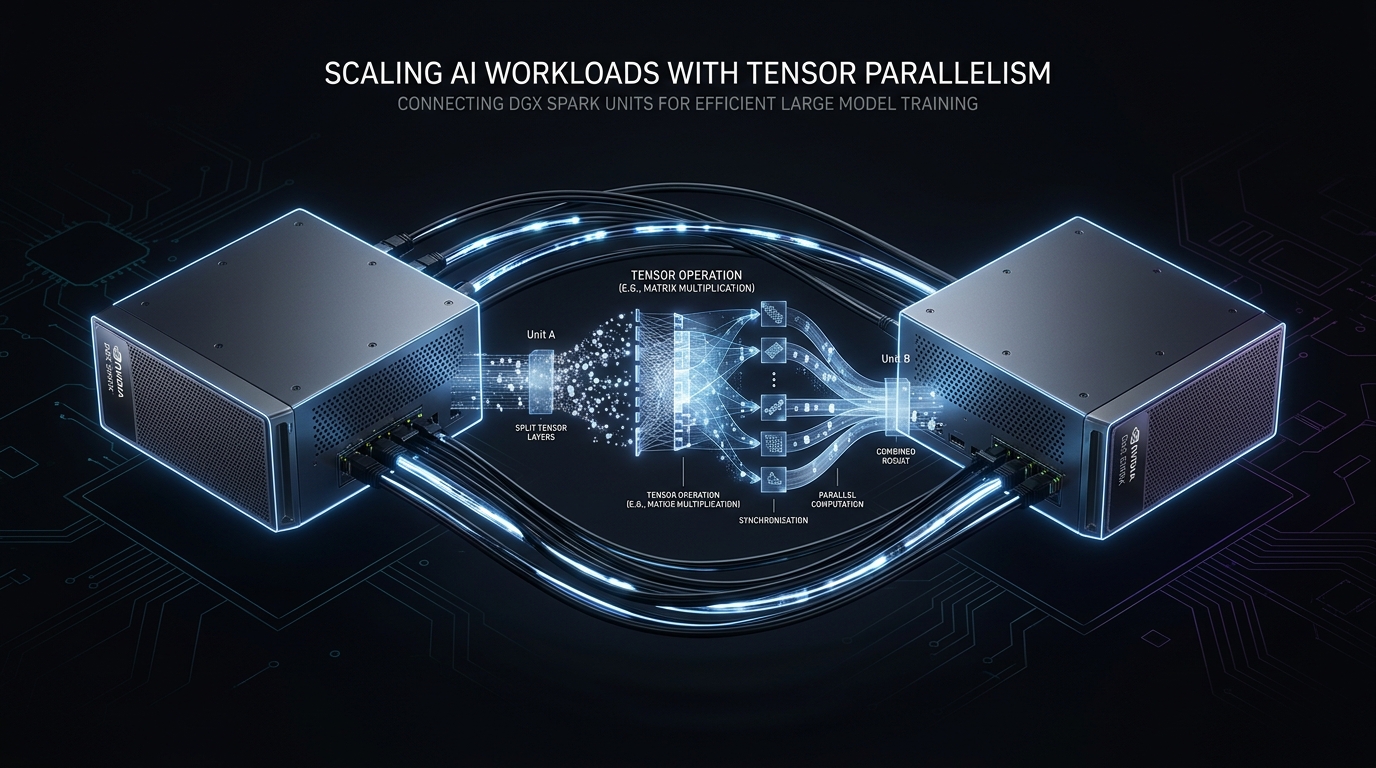
MiniMax M2.7 is a large mixture-of-experts model — roughly 45B active parameters per forward pass — and the MXFP4-quantized weights come in at ~115 GB. Our two DGX Sparks each have ~119 GiB of usable unified memory. That means the model fits across two Sparks with barely any room to spare, and every operational decision flows from that constraint.
This post is what we actually had to figure out to get it running stably. The gotchas section is the point. If you're here for the launch command, skip to the end.
The Hardware
Two DGX Spark units (GB10 SoC, SM 12.1). Each is a Grace Blackwell chip: the host CPU and the GPU share a single pool of LPDDR5X memory via NVLink-C2C. From CUDA's perspective, what looks like "GPU memory" is the same physical RAM the OS and processes run on. The machines are connected via the DGX Spark 200Gbps fast copper cluster ports (enP7s7). There is no InfiniBand between units.
This unified memory architecture is what makes GB10 interesting and what makes it annoying to operate. Benefits: you get 119 GiB addressable by the GPU, which lets you run models that would require a full A100 node cluster on conventional hardware. Cost: every process on the machine competes for that same pool, including the OS page cache.
The Stack
- Model:
olka-fi/MiniMax-M2.7-MXFP4(~115 GB, MXFP4 quantization) - Container:
eugr-vllm:latest— vLLM 0.18.1rc1 + Ray 2.54.0, pre-built for GB10 - Serving: vLLM with Ray distributed executor backend, TP=2 across both Sparks
- Parsers:
--tool-call-parser minimax_m2,--reasoning-parser minimax_m2_append_think
The Eight Gotchas
1. Run vLLM inside the Ray container, not as a new container
This one took the longest to find and is the most important thing in this post.
The natural approach when you have a Ray cluster already running is to launch a new container with RAY_ADDRESS=ray://<head-ip>:6379 and let it connect to the cluster. This doesn't work for vLLM distributed inference. When you use the ray:// prefix, Ray connects in client mode — the new container sees the cluster but can only dispatch work from its local context, which has exactly 1 GPU. vLLM's placement group allocation looks at the local node's resources, finds 1 GPU, and proceeds accordingly. You get single-GPU inference with no error, just a topology that silently ignores the second Spark.
The fix is to run vllm serve from inside the already-running Ray head container:
docker exec -d ray-head bash -c 'vllm serve ...'From inside ray-head, the process connects to Ray as a full cluster node, sees both GPUs across both Sparks, and TP=2 works correctly. The difference is where the driver process lives relative to the Ray cluster — it needs to be a first-class member, not a client.
2. Drop page caches on both machines before every launch
On GB10, model weights stay resident in the OS page cache after a process exits. On a machine where the model is 115 GB and total RAM is 119 GiB, that means almost nothing is available for the next launch attempt. vLLM will check free memory at startup, see 8-11 GiB available, and immediately throw ValueError: Free memory on device cuda:0 (11.19/119.67 GiB) is less than desired GPU memory utilization.
The fix, which must be run on both Sparks every time you restart after a crash:
sudo sh -c 'sync && echo 3 > /proc/sys/vm/drop_caches'This is not optional and it is not obvious — the machine will look fine. free -h will show most memory as "available" (because it counts reclaimable cache), but vLLM probes actual CUDA-visible free memory, which includes the cache. After the drop, expect to see ~114 GiB free on each Spark.
3. NCCL doesn't work for cross-node communication on GB10
GB10 has no InfiniBand and no peer-to-peer NVLink to a remote node. NCCL expects fast interconnect and will either fail or route through loopback when it doesn't find it. Use Gloo instead:
NCCL_IB_DISABLE=1
NCCL_P2P_DISABLE=1
GLOO_SOCKET_IFNAME=enP7s7   # your cluster interface name
The interface name matters. If Gloo binds to loopback instead of the Ethernet interface, workers will appear to connect but tensor communication will fail silently or hang.
4. Use fastsafetensors load format
Loading 115 GB of weights takes a while regardless. --load-format fastsafetensors uses memory-mapped, parallel shard loading and cuts the startup time significantly compared to the default loader. For a model this size, it's worth the flag.
5. RAY_prestart_worker_first_driver=0
Without this, Ray may try to pre-start worker processes on the head node before the vLLM driver is ready to register them. In a 2-node setup this can cause placement group creation to race against worker registration. Setting RAY_prestart_worker_first_driver=0 in the environment before launch avoids it.
6. Object store memory
Set --object-store-memory=2147483648 (2 GB) when starting the Ray cluster. Without this, Ray's default object store sizing is based on total system memory — which on a 119 GiB machine means it tries to claim 30-40 GB for the object store before the model is even loaded. Capping it at 2 GB leaves room for the model.
7. Don't use --rm on containers during bring-up
Early in debugging we were using --rm on our Docker run commands so containers would clean up on exit. The problem: when vLLM crashes during initialization, the container deletes itself before you can read the logs. Every time. Remove --rm until you're confident in your setup. You can always docker rm later.
8. OOM at high concurrency with deep context
On the first benchmark run we hit a Ray memory monitor kill at concurrency=10 with 100K token context depth. The Ray worker died, which cascaded into a flood of 500 errors and a clean server shutdown. The memory monitor threshold was triggering before vLLM's own limits kicked in.
Conservative settings that kept the server stable through multi-hour benchmarking:
--gpu-memory-utilization 0.82   # not 0.85+
--max-model-len 131072          # not 196608
--max-num-batched-tokens 8192
--max-num-seqs 128
RAY_memory_usage_threshold=0.97
The Working Launch Command
Start Ray on both machines first (Spark 2 runs ray start --address=<spark1-ip>:6379), then on Spark 1:
docker exec -d ray-head bash -c '
export VLLM_MARLIN_USE_ATOMIC_ADD=1
export SAFETENSORS_FAST_GPU=1
export OMP_NUM_THREADS=8
export VLLM_ALLOW_LONG_MAX_MODEL_LEN=1
export RAY_memory_usage_threshold=0.97
export RAY_DEDUP_LOGS=0
vllm serve /models/MiniMax-M2.7-MXFP4 \
  --host 0.0.0.0 --port 8002 \
  --served-model-name minimax-m2.7 \
  --tensor-parallel-size 2 \
  --distributed-executor-backend ray \
  --gpu-memory-utilization 0.82 \
  --max-model-len 131072 \
  --max-num-batched-tokens 8192 \
  --max-num-seqs 128 \
  --load-format fastsafetensors \
  --kv-cache-dtype fp8 \
  --enable-prefix-caching \
  --enable-auto-tool-choice \
  --tool-call-parser minimax_m2 \
  --reasoning-parser minimax_m2_append_think \
  --trust-remote-code > /tmp/vllm-serve.log 2>&1
'
Startup takes approximately 4 minutes on a warm compile cache (first run ~25 minutes for torch.compile). Watch for Application startup complete in the log.
Benchmark Numbers
Measured with llama-benchy at depth=0:
- Prefill (pp2048, c1): 1,004 ± 12 t/s — TTFT 1,676 ms
- Generation (tg128, c1): 12.4 ± 0.2 t/s
- Generation (c4, observed): ~40 t/s aggregate (~10 t/s per request)
- Generation (c8, observed): ~65 t/s aggregate (~8 t/s per request)
The single-request generation speed (12.4 t/s) is slow. The 200Gbps cluster link is fast enough that interconnect isn't the ceiling — the real constraint is memory bandwidth. M2.7 is 115 GB of weights; every decode step requires reading a large fraction of those weights across two nodes' unified memory, and that's a lot of bytes per token regardless of how fast the nodes talk to each other. Prefill is strong because it's compute-bound and amortizes the weight reads across many tokens at once. 1,000 t/s prefill is genuinely useful for long-context ingestion workloads.
The batching story is better than the single-request number suggests. Going from c1 to c8 gives 5× the aggregate throughput — MoE models batch well because the expert routing spreads load across independent weight subsets. If you're running batch jobs or have multiple consumers, the model is more capable than the headline number implies.
Honest Assessment
For latency-sensitive single-user workloads, M2.7 on dual GB10 is not the right answer. 12 t/s feels slow in interactive use. The bottleneck is model scale — 115 GB of weights is simply a lot of memory to stream through per token, and no amount of fast interconnect changes that arithmetic.
For background batch work, long-context processing, or multi-user API serving where you can batch requests, the setup is functional and the cost-per-token economics are compelling — it's running on hardware we already own.
The more interesting comparison is against a single-Spark setup running a smaller, faster model. Our next post will cover Qwen3.6-27B-FP8 on one Spark with SGLang and speculative decoding — projected to be 10-15× faster per request at the cost of model scale. That tradeoff is probably the right one for Hermes agent workloads.
Key Environment Variables Reference
# vLLM / GEMM
VLLM_MARLIN_USE_ATOMIC_ADD=1
SAFETENSORS_FAST_GPU=1
VLLM_ALLOW_LONG_MAX_MODEL_LEN=1

# Cross-node communication (GB10 / no InfiniBand)
NCCL_IB_DISABLE=1
NCCL_P2P_DISABLE=1
NCCL_SOCKET_IFNAME=enP7s7
GLOO_SOCKET_IFNAME=enP7s7

# Ray cluster stability
RAY_prestart_worker_first_driver=0
RAY_memory_usage_threshold=0.97
RAY_DEDUP_LOGS=0
OMP_NUM_THREADS=8